
webhostingfreecpanel.com - Filezilla FTP

Filezilla FTP, filezilla client, filezilla server

filezilla

Filezilla FTP is open source software compatible for Windows, Mac and Linux, which allows us to access and modify folders and files on a server or PC, for that we need two applications, one for the client called filezilla client which is where the client connects and the other application is called filezilla server which is responsible for allowing them to connect to a PC and share their information. To download the applications filezilla client y/o filezilla server we must go to the next link
FTP

Before beginning to explain how filezilla works, it is very important to know what an FTP account is, “File Transfer Protocol”, FTP is a protocol that has always been used to transfer all types of files that are connected to a network, whether internal or external, and for that we use ftp managers and one of the best known and most used is filezilla. At webhostingfreecpanel.com we offer you hosting with the best speeds and integrated FTP accounts so you can connect from anywhere, you also have 24/7 advice, choose the plan that best suits your needs.

Filezilla client

Filezilla client It is the FTP application exclusively for users who want to access the information shared by FTP, you must have the credentials to access said shared information and you will be able to create, modify and delete files and/or folders from filezilla client, for that only You must download the filezilla client software on your computer regardless of whether it is Windows, Mac or Linux.

Filezilla portable

filezilla portable

Filezilla portable It is an alternative to filezilla client with the advantage of being able to take it externally on a memory or portable hard drive with all the FTP credentials saved by default and being able to use them on any computer without having to install or download filezilla client because we would be with the version portable and would work on any PC, you just have to run it and that's it.

Filezilla server

Filezilla server is the application to share FTP and give access to third parties so that they can connect to our files and can see, modify, add and/or delete everything, for this it is very important to have an open port on our router or modem so that the Users who are outside the network who want to connect can do so.

Configure filezilla client


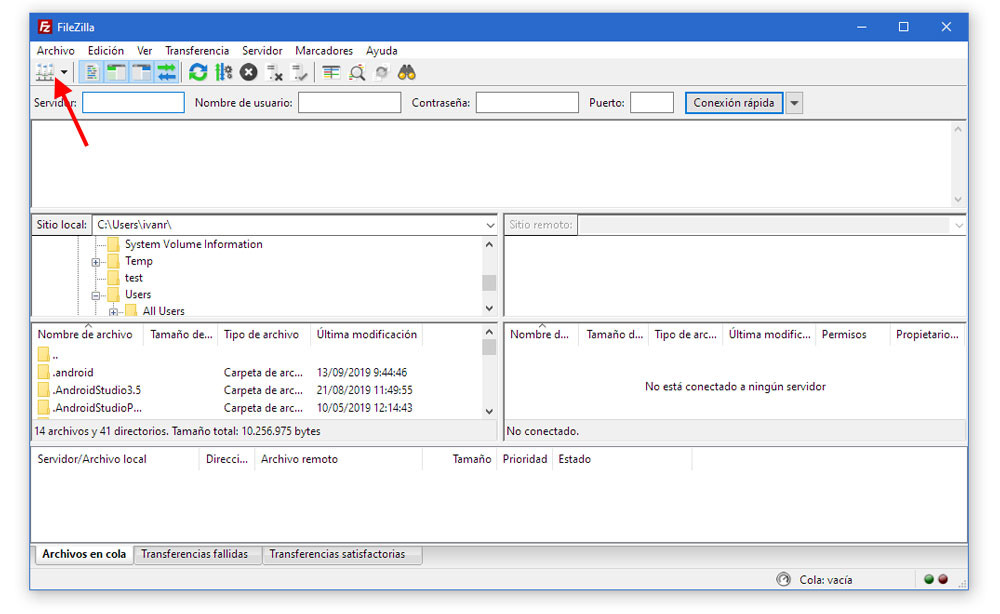
1. You must have the following data to be able to connect to the FTP account: server, username, password and port, then we give it a quick connection and if a message appears about the certificate, we accept and that's it, these data must be given to you by the provider or administrator of the FTP account you are sharing.
filezilla portable


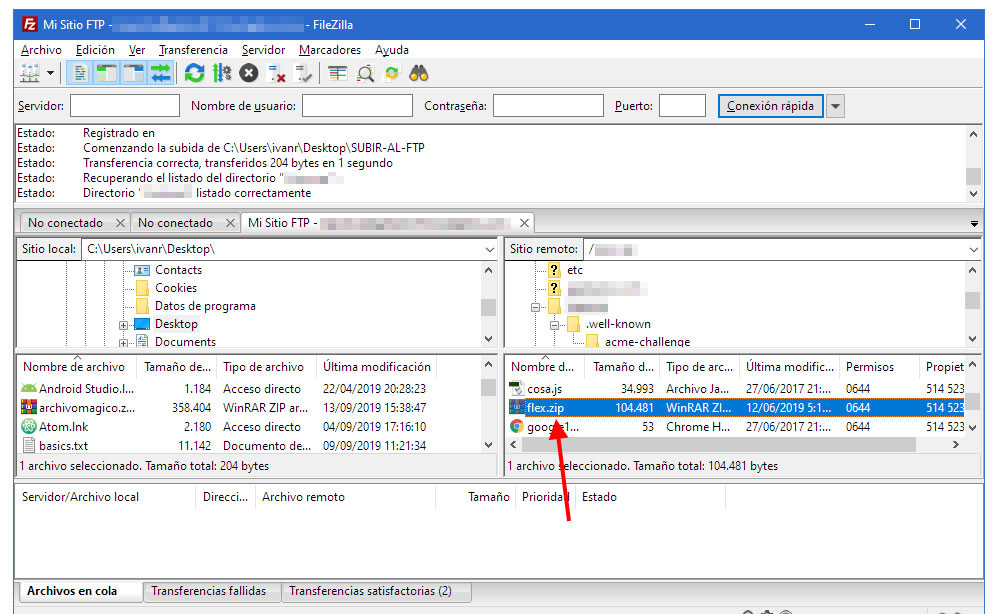
2. When connecting to the filezilla client FTP account, it will load the server folders and files at the bottom right and there we can download, upload, modify and delete the files we need. It is important that the computer you use to connect to filezilla client has antivirus because if the computer is infected it may be passing viruses to the FTP account and may infect all computers that connect to the FTP account.
filezilla portable